
RetroSpace Guide: Surviving Aurora 5 From Start to Finish
This RetroSpace guide covers difficulty and save options, Mutamods, cloning and death, plus exploring Aurora 5, written for janitors in the launch week.
What Is RetroSpace?
This RetroSpace guide covers everything the saved sources can tell you about surviving the game as a new janitor: difficulty choices, saving rules, Mutamods, the cloning system, and how to explore Aurora 5 without getting lost. This RetroSpace guide also flags every demo-era detail with its date, because launch week information changes fast.
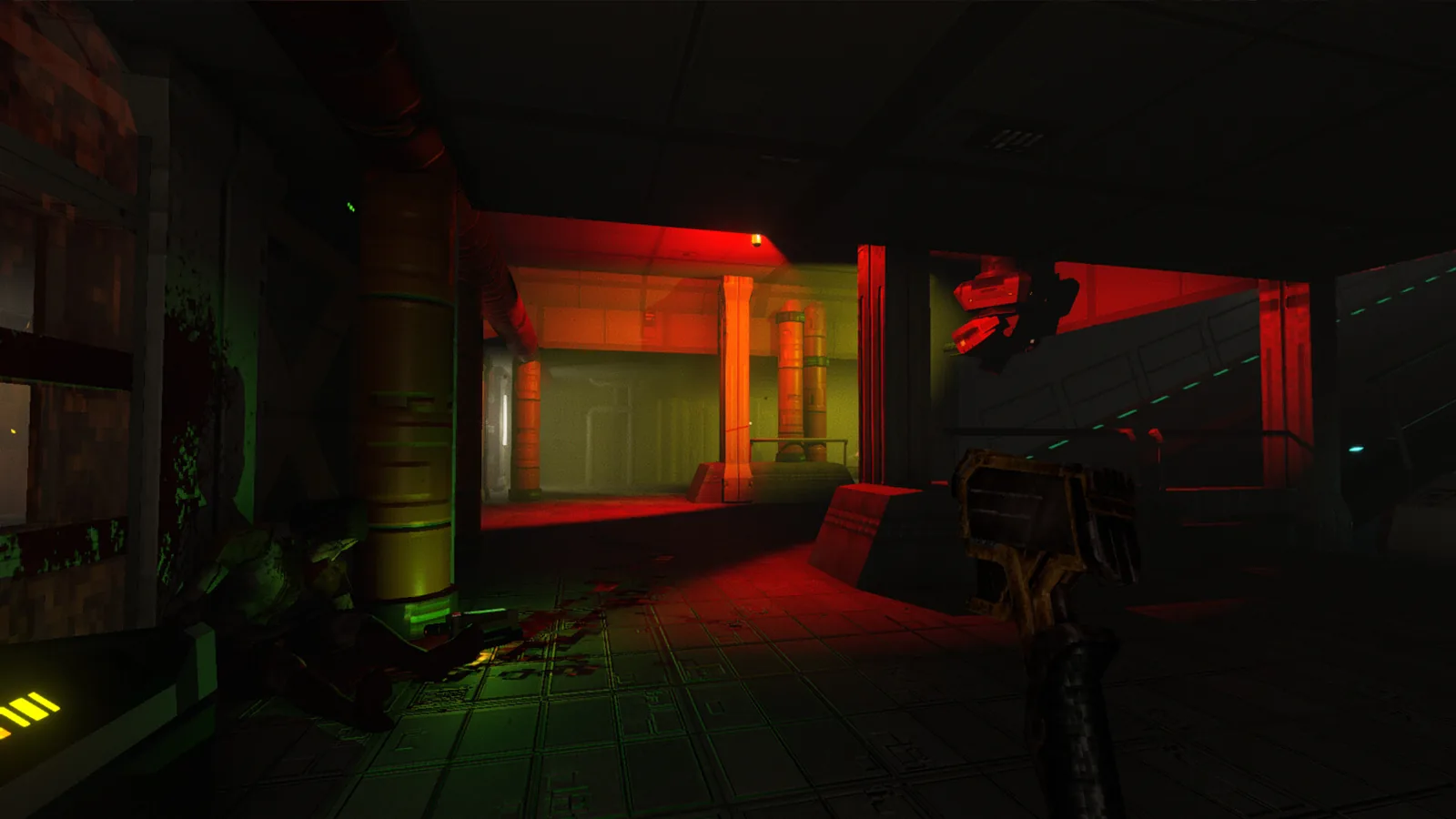
RetroSpace is a disco-punk space horror immersive sim from The Wild Gentlemen, published by Kwalee, and it launched on October 1, 2026 on PC, Xbox, and PS5, with a Nintendo Switch 2 version pending. You play a nameless janitor on Aurora 5, a city-ship swallowed by a sentient black hole, and the ship now jumps between two time periods while animal and plant hybrids roam the corridors. The story setup, from the developer site, begins in 2177, when the AURORA fleet of floating space stations carries humanity in deep sleep while robots, androids, and a dedicated team of personnel guard their dreams, until one gigantic city-ship derails off its course. The official Steam page calls the game a love letter to the immersive games of yesteryear, and at the time our sources were saved it held a Very Positive rating with 92% of 125 reviews positive.
GamingTrend gave RetroSpace a score of 90 Excellent in a review based on an early PC copy provided by the publisher, and the review is our main authority source. This RetroSpace guide is built only from the saved source files: the Steam store page, the developer site, the developer pinned FAQ thread, a launch-week saving thread, and that review. This RetroSpace guide adds nothing the sources do not state, and this RetroSpace guide sticks to those saved pages so nothing here is invented.
Difficulty, Saving, and Getting Started
The developer FAQ confirms there are four difficulty levels, from a forgiving easy mode to a hardest difficulty the developer calls really punishing. A save option can be enabled at every difficulty level, and the FAQ is explicit that the game is a full release, not Early Access.
| Setting | What the sources say |
|---|---|
| Difficulty levels | Four levels, including a really punishing hardest mode |
| Protected quicksaves | Enabled when starting a new game, for quicksaves at any time |
| Saving on 1999 and Russ Kurtell modes | Autosaves and quicksaves only |
| Death | Spawn in the nearest Heal-O-Dome and recover your previous corpse |
The saving details come from a launch-week thread about 1999 mode. The developer explains that on 1999 mode and Russ Kurtell mode there are autosaves and quicksaves, and unless you enable protected quicksaves when starting a new game, you just need to go with the flow. If you die, you spawn in the nearest Heal-O-Dome chamber and need to find your previous corpse. On the highest difficulty, the developer says you get a certain amount of respawn chances and then it is game over, with less currency and ammo as well. Community players add that the toilet does not work as a save point, that quitting the game does not save progress, and that save notifications appear near the healing pods.
GamingTrend recommends starting on normal before bumping the difficulty up, because enemies have special moves you will want to learn first. The review also praises how fair normal felt, and notes the difficulty selection screen explains the death and saving rules in writing.
Mutamods, Cloning, and Death
Mutamods are the mutation system at the heart of this RetroSpace guide buildcraft advice. The Steam page describes them as powerful mutations that enhance stealth, combat, exploration, and mobility, with the warning that every upgrade may come with unexpected side effects.
| Mutamod | Effect reported in the GamingTrend review |
|---|---|
| Moth mod | Heal while standing in the station bright lights |
| Bat mod | Hear enemy movement through walls |
| Pig mod | Heal by eating a corpse, leaving you exposed while bending down |
GamingTrend reports you can have three Mutamods equipped at any time, and each one feels tailored to a specific playstyle. The reviewer favorite, the moth mod, heals you when you stand in bright lights and slows your character while healing. To use your active Mutamod, a player tip from the discussions is simple: press the scroll wheel.
Death is not the end in RetroSpace. The station can produce an infinite number of clones of you, but cloning is never perfect, and the developer site warns of severe cloning degenerations. The review explains the mechanics: you respawn with a negative trait each time you die, and you can remove it by paying for it or sucking the DNA out of your dead body. The review also confirms you should recover your gear from your former self.
Exploring Aurora 5 and Janitors Haven
Aurora 5 is a massively interconnected and open space, according to the developer site, with a mostly peaceful central HUB area you can return to anytime. GamingTrend adds that the station has four main sectors attached to the main station, each usually leading to smaller areas like the Luxury Section, and that the tram station is the main way to travel between areas.
Janitors Haven is the hub area where you upgrade weapons, Mutamods, and pick up a couple of extra side quests, and it grows as you find more friends. It also functions as a fast travel location, which the review calls extremely cool and well explained by the narrative.
The review exploration tips are worth stealing for this RetroSpace guide. Your personal map is not labeled, the mini map is more useful than the big one, and there are no waypoints, so dialogue and quest text carry the directions. You can remove your helmet at any time to hide the HUD, break lights to make areas darker for stealth, and fix broken vending machines by hitting the keypad with your wrench. Weapons range from a pistol to a broom melee weapon, there is a hidden weapon to find, and with the right pistol upgrade you can bounce bullets off walls.
| Requirement | Minimum | Recommended |
|---|---|---|
| OS | Windows 10 64-bit | Windows 10/11 64-bit |
| Processor | Intel Core i5-8400 or AMD Ryzen 5 2600 | Intel Core i5-11600K or AMD Ryzen 5 5600G |
| Memory | 16 GB RAM | 16 GB RAM |
| Graphics | NVIDIA GTX 1050 Ti 4GB or AMD RX 570 | NVIDIA GTX 1650 or AMD RX 6600 |
The Steam page lists these system requirements and notes an SSD is recommended, targeting 1080p at about 30 FPS on minimum settings and 60 FPS or higher on high settings.
FAQ
Is RetroSpace a full release?
Yes. The developer FAQ confirms the game is a full release, not Early Access, and it arrived on October 1, 2026 on PC, Xbox, and PS5, with Nintendo Switch 2 pending.
How long does RetroSpace take to beat?
The developer FAQ estimates a standard playthrough at around 10-15 hours, while a dedicated player could spend two or three times that. The GamingTrend reviewer finished in around 17 hours.
Do demo saves carry over to the full game?
No. The developer FAQ says demo progress will not transfer over to the full game, so treat any demo run as practice.
What is the price of RetroSpace?
The developer FAQ lists $19.99, noting the exact price may vary by region. The Steam store page at launch showed a 10% introductory offer until October 8.
Where do I find more RetroSpace guide material?
Start with the official Steam page and the developer site at discopunk.space, then read the pinned FAQ thread in the Steam discussions for answers straight from the developer, and bookmark this RetroSpace guide for the next patch.
Related Articles
Continue Reading
Enemies: Every Threat Type on Aurora 5 Explained
A practical guide to retrospace enemies: how Aurora 5 threats behave, which ones appear early, and how community guides suggest handling mutated bosses.
GuidesHours: How Long to Beat and Playtime Guide
Wondering how many retrospace hours to budget? Compare official developer estimates, review playtimes and player reports for this disco-punk immersive sim.
GuidesMap Guide: Navigate Aurora 5 Without Getting Lost
Learn how the RetroSpace map works, what it shows and hides, and how players navigate the interconnected Aurora 5 station without waypoints or labels.